> For the complete documentation index, see [llms.txt](https://docs.truedat.io/llms.txt). Markdown versions of documentation pages are available by appending `.md` to page URLs; this page is available as [Markdown](https://docs.truedat.io/v8.9/administration/relations.md).
# Relationship types
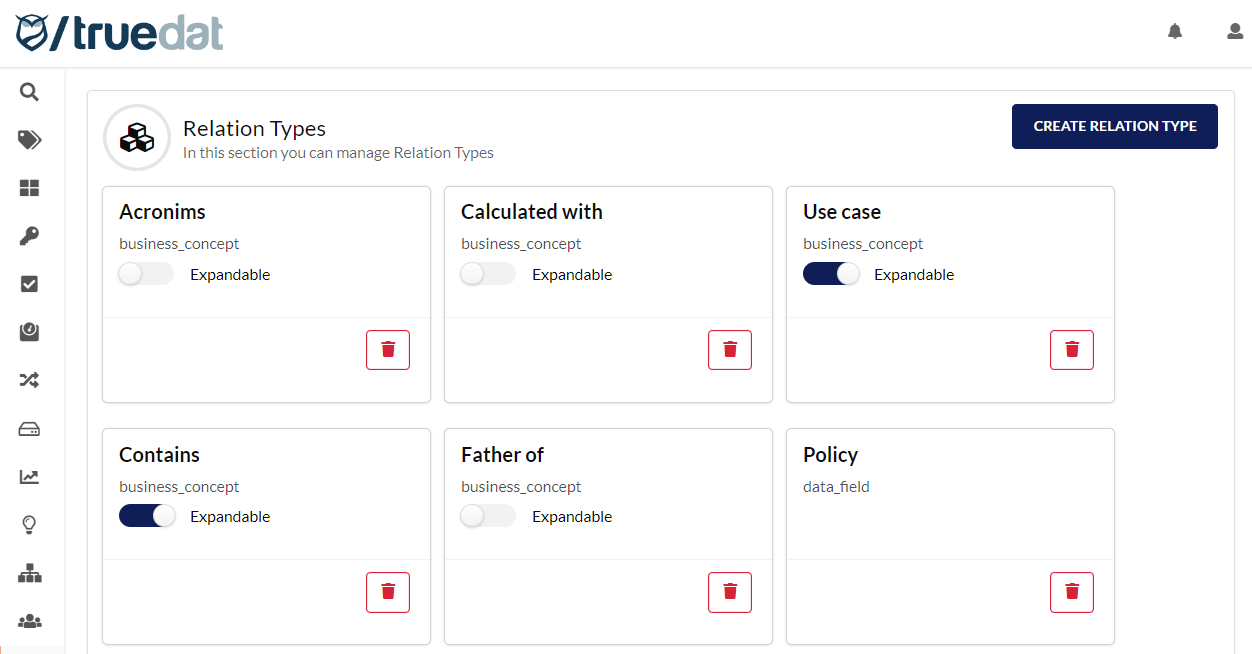
As an admin user, you can set up the different types of relationships that a business concept can have with other resources. Do this in the 'Relations' option of the 'Administration' module.
## New type of relationship
To register a new type of relationship, you must give it a name and indicate the resource you are establishing the relationship with, which can be another business concept, a data structure or a quality implementation.
* **Concept**: concepts can be linked to other concepts and you may want to define different types of relationships, e.g. parent of, calculated from, etc.
* **Structure:** concepts can be linked to one or more data structures. You can link concepts to structures without setting up a relationship type. These relationships display as "Link to field" when viewing the concept's information. To mark a special relationship type, define it in this Administration module. It displays as "Master link to structure."
* **Implementation:** concepts can be linked to quality implementations. You can link concepts to implementations without giving the relationship a specific name. These relationships display as "Link to implementation" when viewing the concept's information. To create different relationship types, define them in this Administration module.

## Deleting a relationship type
A relationship type can be deleted so it can no longer be used when linking resources. Deleting a relationship type does not delete existing relationships of that type. Existing relationships continue to exist without a type. For example, if a concept is linked to a structure with a master relationship type, deleting that type preserves the link but removes its master designation.